We are using Apache Spark for the data processing. Surprisingly, There is no official Spark connector for the Druid database. Druid’s primary ingestion methods are all pull-based. That means Druid reads the data from sources like S3 and Postgres and stores it in data sources, which are similar to tables in a traditional RDBMS.
For Loading data into Druid, we are writing all the data on S3 buckets in JSON format and sending API calls to the Druid indexer to load data from S3.
Druid supports JSON, CSV, Parquet, ORC, and other formats.
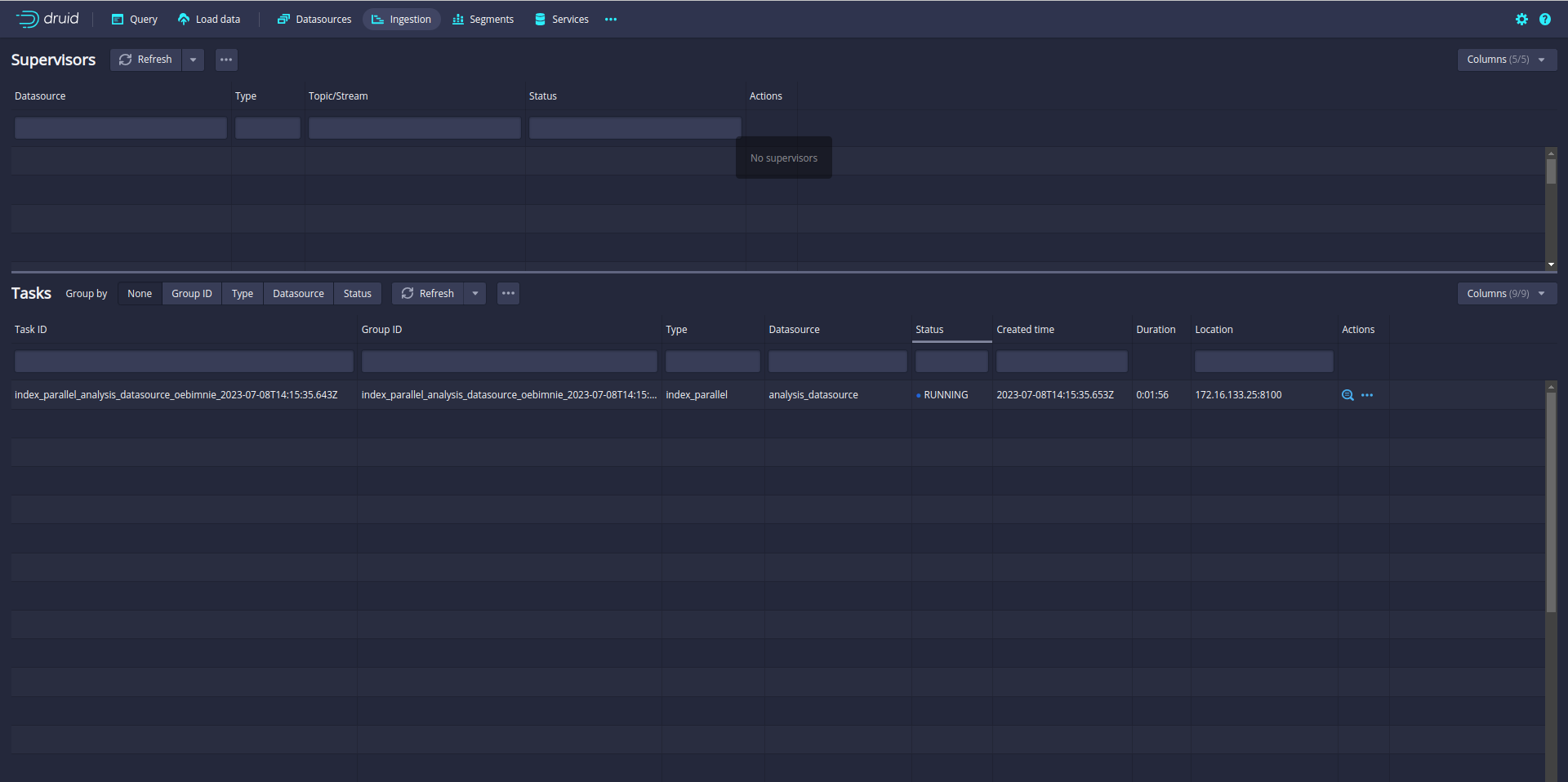
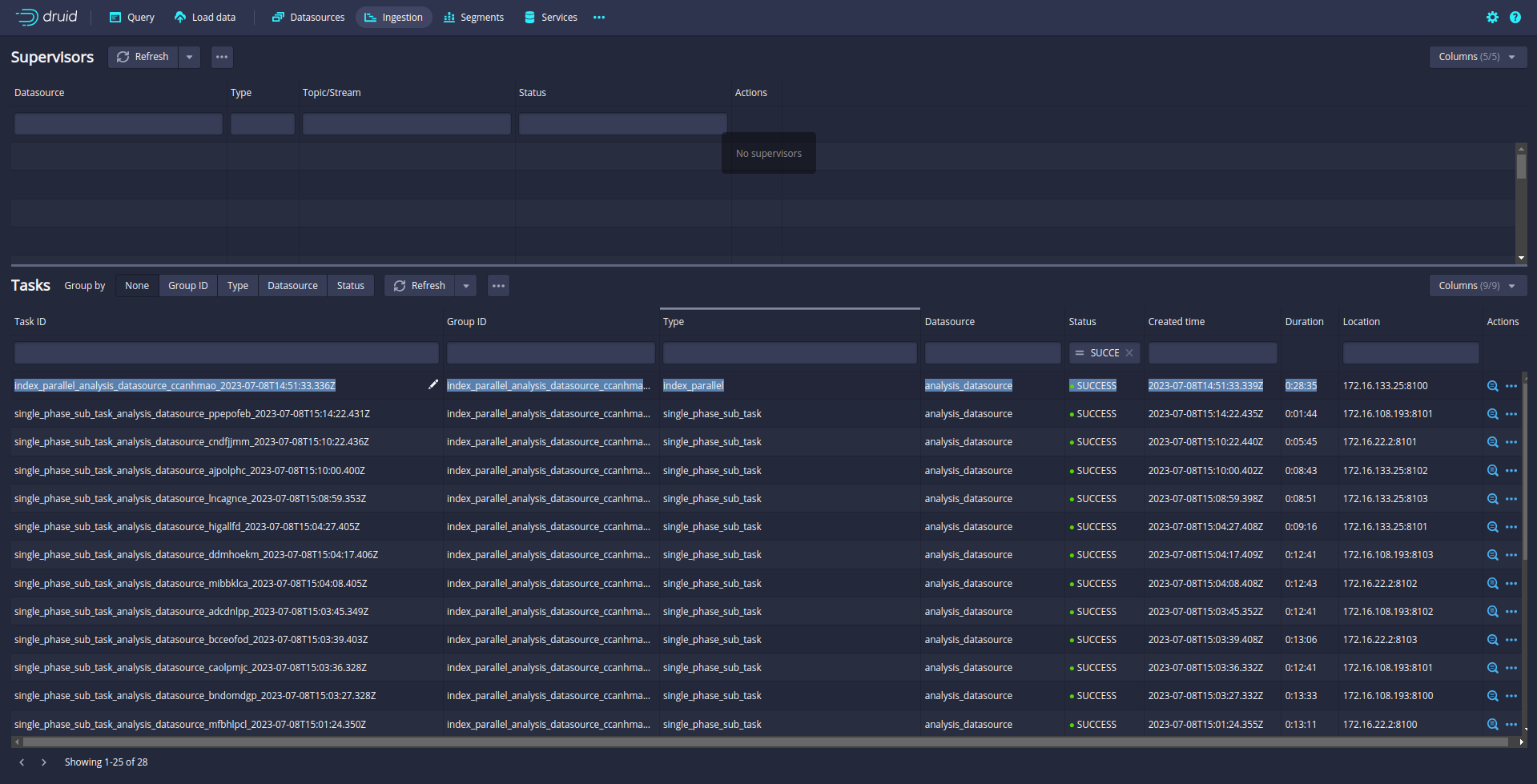
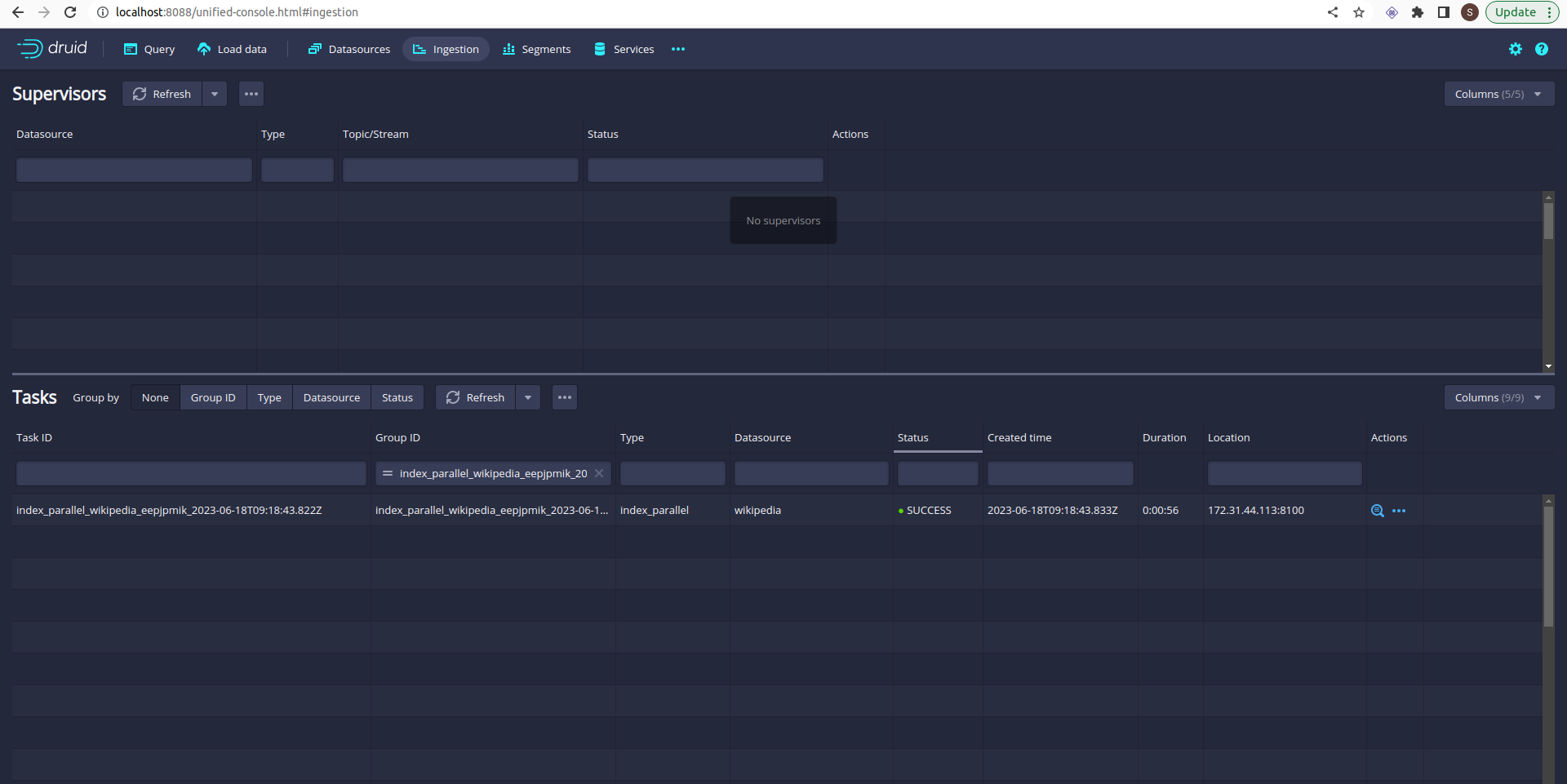
Ingestion is started. You can check the ingestion tab in the Druid UI:
So far so good. But you notice that only one task is running. A single task may take longer time if the data is big. Even your Druid cluster has more slots to run parallel task.
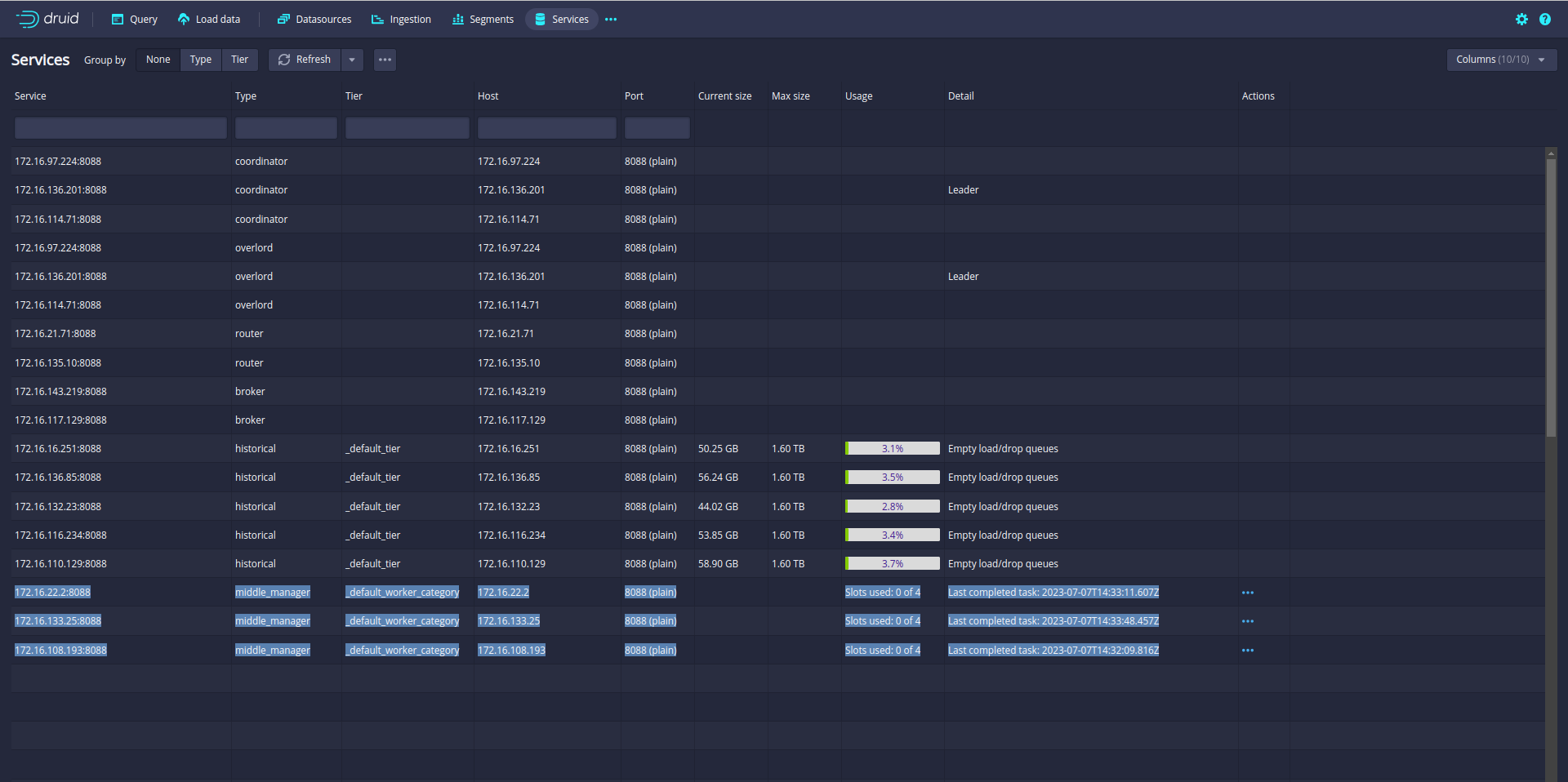
In my case, the Druid cluster has 12 slots. That means Druid can run 12 parallel tasks.
So let’s increase the parallelism from 1 to 12. (default parallelism is 1)
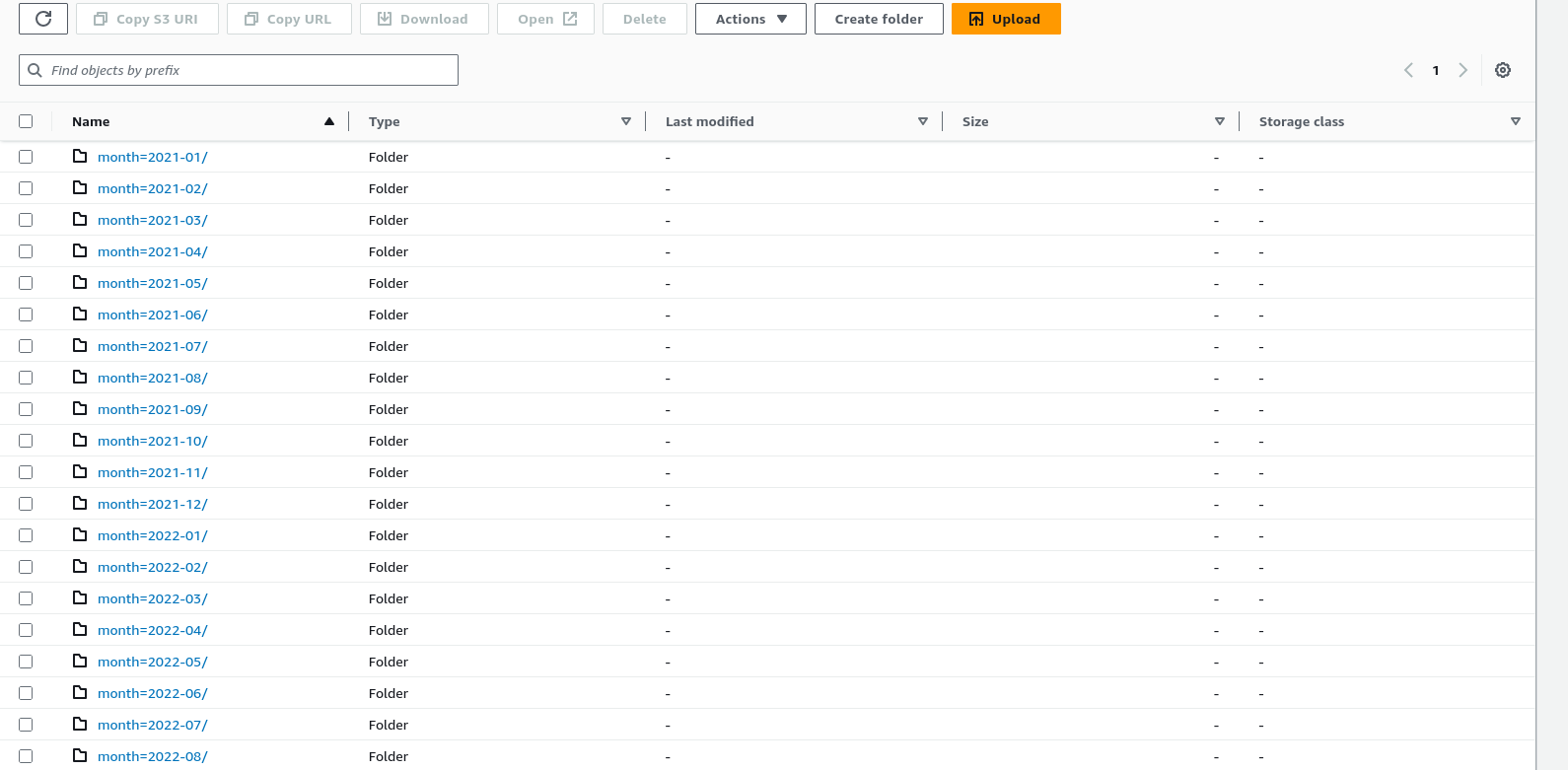
Before starting the ingestion, Make sure your data is partitioned or sorted on the S3 bucket like month, week, and day. In my case data is partitioned by month.
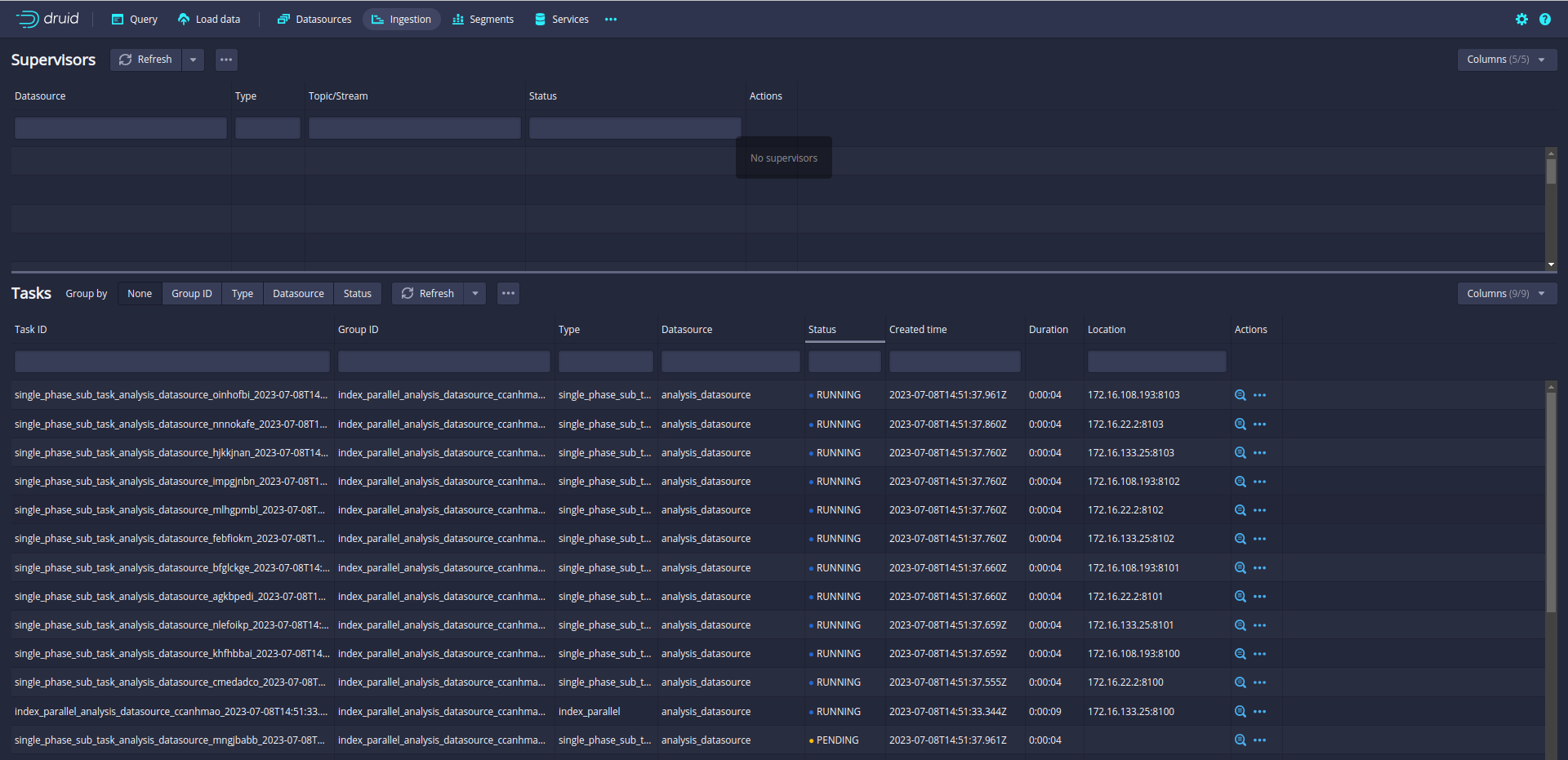
Let’s run again and check the ingestion Tab:
Now, 12 subtasks are running in parallel. Druid will split data loading into multiple subtasks and run the 12 subtasks in parallel.
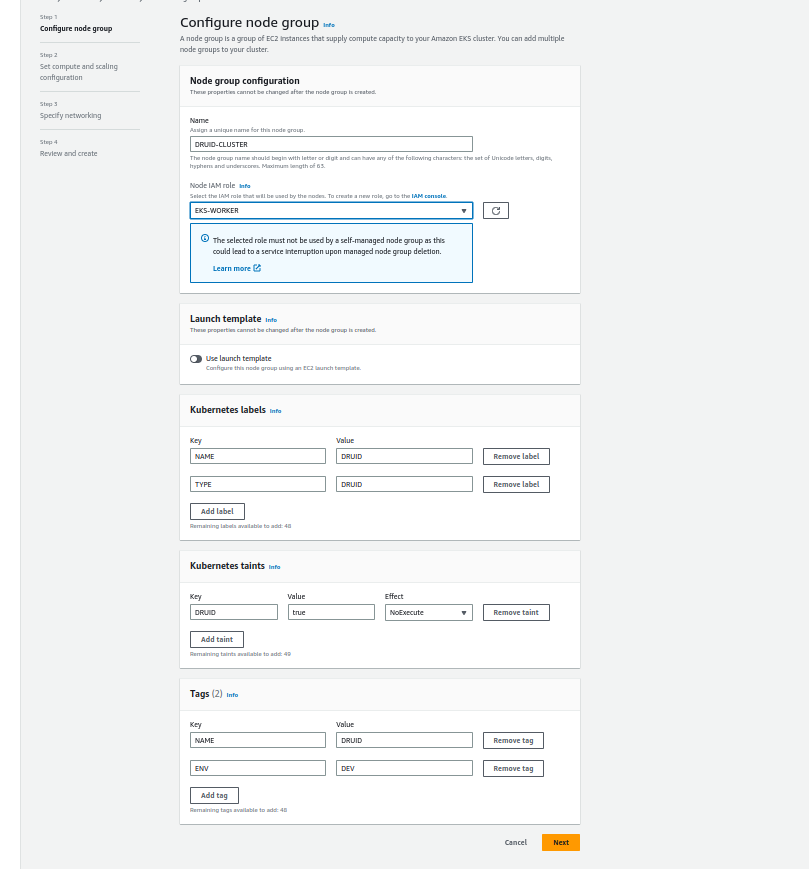
If you noticed, I used taints for resource isolation so no other pods can run the druid cluster node group.
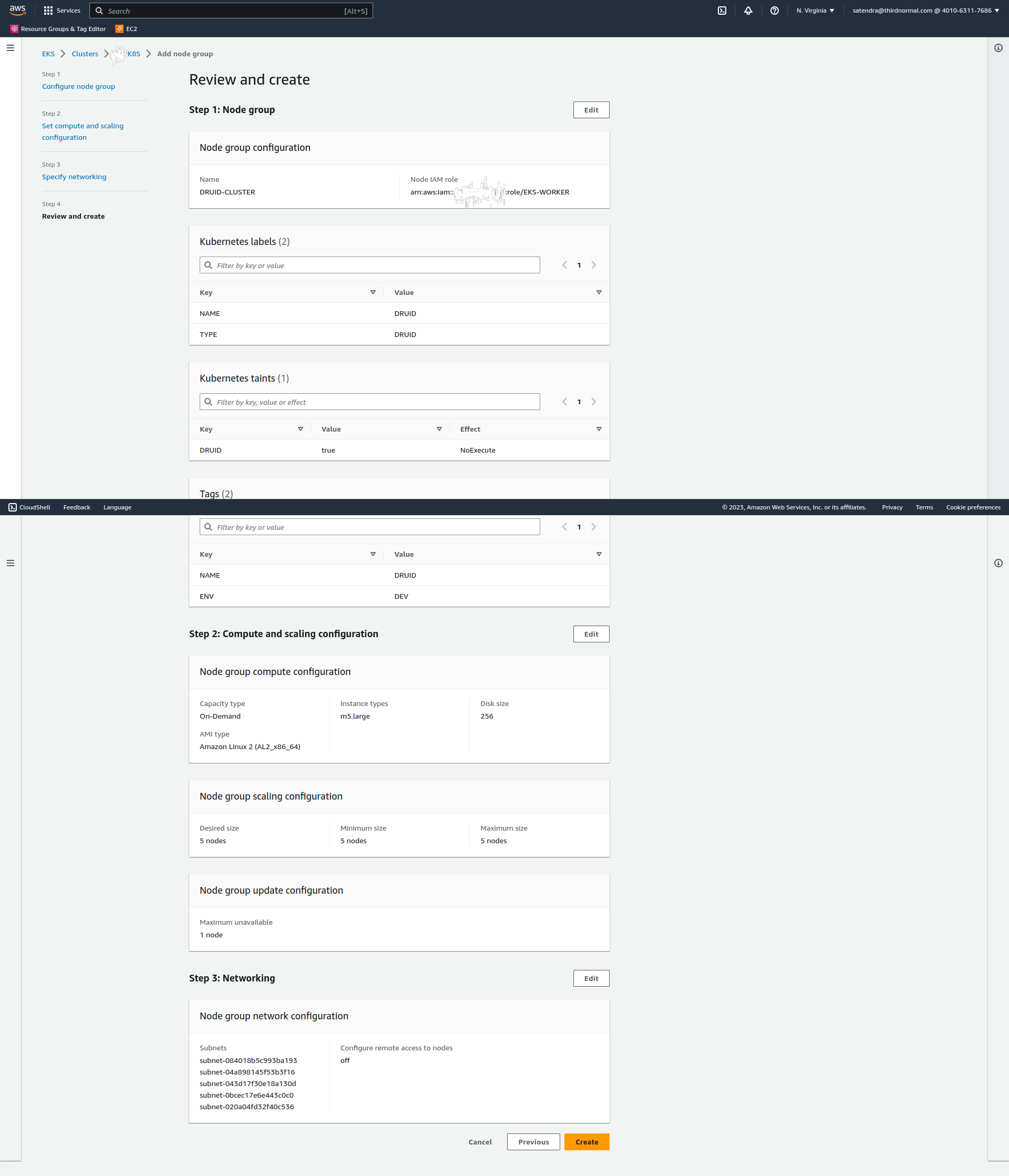
Click on next and add the details of nodes (I am using 5 m5.large nodes and 256 GB disk):
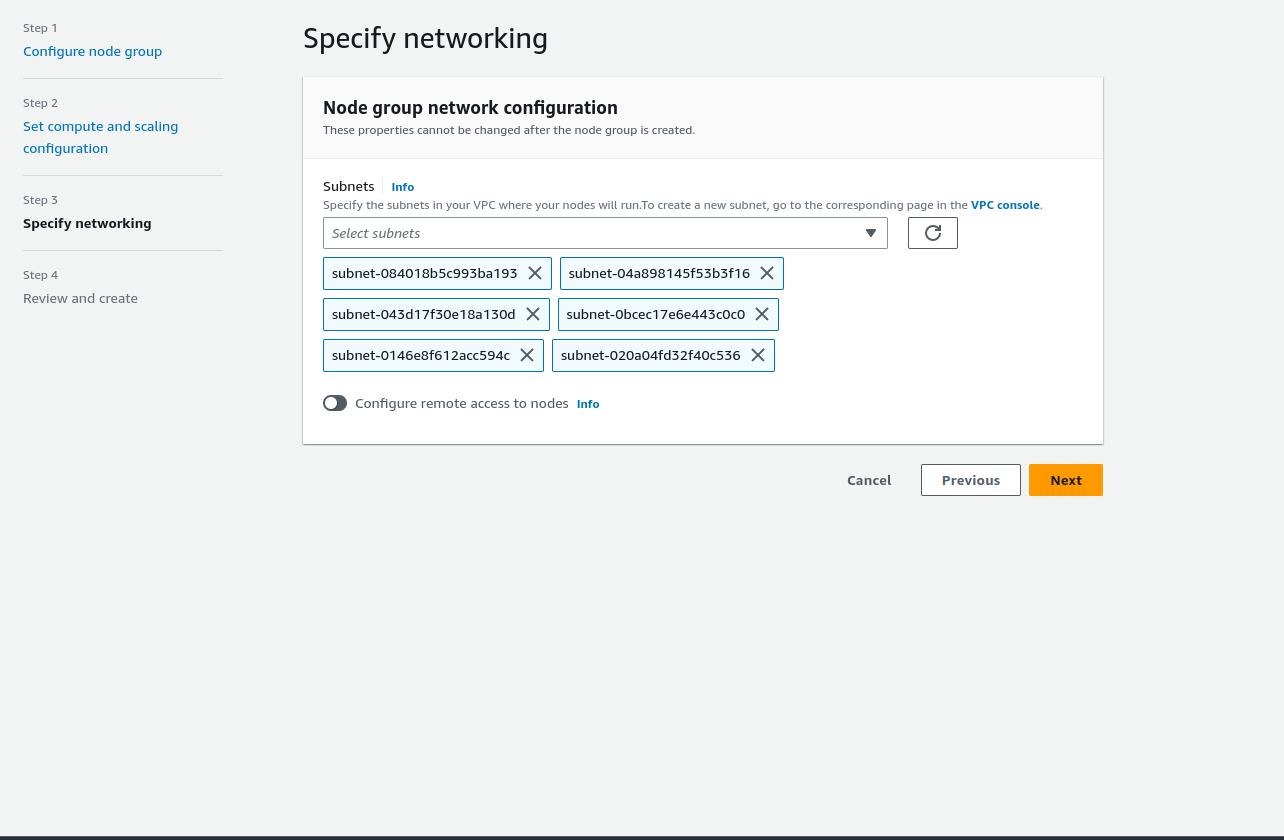
Click on Next and selects the subnets:
Click on next and review the details:
Click on Create.
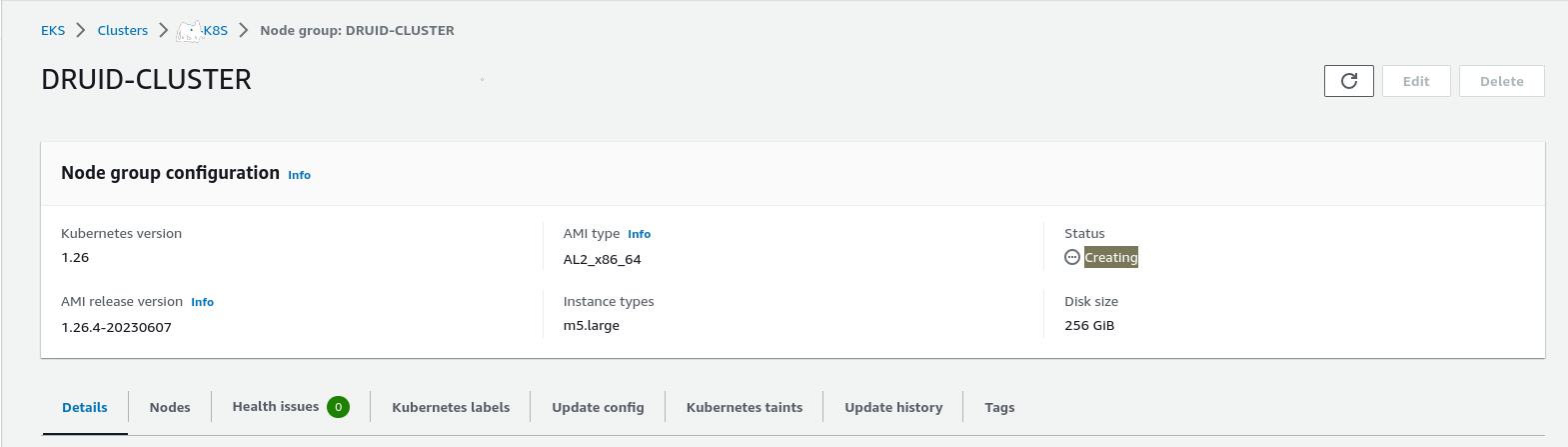
It will take a few seconds to create a node group:
Refresh the page:
The node group is ready.
Let’s validate the nodes:
$ kubectl get nodes -l TYPE=DRUID
NAME STATUS ROLES AGE VERSION
ip-172-31-16-51.ec2.internal Ready 22m v1.26.4-eks-0a21954
ip-172-31-3-242.ec2.internal Ready 22m v1.26.4-eks-0a21954
ip-172-31-35-102.ec2.internal Ready 22m v1.26.4-eks-0a21954
ip-172-31-67-191.ec2.internal Ready 22m v1.26.4-eks-0a21954
ip-172-31-90-74.ec2.internal Ready 22m v1.26.4-eks-0a21954
Create a namespace for the druid cluster:
$ kubect create namespace druid
namespace/druid created
Druid required the zookeeper cluster so first, we need to install the zookeeper cluster. I am using bitnami helm charts to create the zookeeper cluster:
$ helm install zookeeper  -n druid  -f zookeeper/values.yaml   oci://registry-1.docker.io/bitnamicharts/zookeeper
NAME: zookeeper
LAST DEPLOYED: Sun Jun 18 13:39:20 2023
NAMESPACE: druid
STATUS: deployed
REVISION: 1
TEST SUITE: None
NOTES:
CHART NAME: zookeeper
CHART VERSION: 11.4.2
APP VERSION: 3.8.1

** Please be patient while the chart is being deployed **

ZooKeeper can be accessed via port 2181 on the following DNS name from within your cluster:

    zookeeper.druid.svc.cluster.local

To connect to your ZooKeeper server run the following commands:

    export POD_NAME=$(kubectl get pods --namespace druid -l "app.kubernetes.io/name=zookeeper,app.kubernetes.io/instance=zookeeper,app.kubernetes.io/component=zookeeper" -o jsonpath="{.items[0].metadata.name}")
    kubectl exec -it $POD_NAME -- zkCli.sh

To connect to your ZooKeeper server from outside the cluster execute the following commands:

    kubectl port-forward --namespace druid svc/zookeeper 2181:2181 &
    zkCli.sh 127.0.0.1:2181
Let’s quickly check the zookeeper cluster:
$ kubectl get pods -n druid
NAME READY STATUS RESTARTS AGE
zookeeper-0 1/1 Running 0 4m32s
zookeeper-1 1/1 Running 0 4m32s
zookeeper-2 1/1 Running 0 4m32s
The zookeeper cluster is up and running.
Let’s start on Druid. I am using the Druid operator to install the Druid cluster.
First, install the druid operator using helm(clone the code from here to get the chart):
$ kubectl create namespace druid-operator
namespace/druid-operator created

$ helm -n druid-operator install cluster-druid-operator -f druid-operator/chart/values.yaml  ./druid-operator/chart
NAME: cluster-druid-operator
LAST DEPLOYED: Sun Jun 18 13:52:03 2023
NAMESPACE: druid-operator
STATUS: deployed
REVISION: 1
TEST SUITE: None
NOTES:
Refer to https://github.com/druid-io/druid-operator/blob/master/docs/README.md to get started.
let’s verify the operator pods;
$ kubectl get pods -n druid-operator
NAME READY STATUS RESTARTS AGE
cluster-druid-operator-d68649447-qjmlv 1/1 Running 0 90s
Druid services:
Druid has several types of services:
Coordinator service manages data availability on the cluster.
Overlord service controls the assignment of data ingestion workloads.
Broker handles queries from external clients.
Router services are optional; they route requests to Brokers, Coordinators, and Overlords.
Historical services store queryable data.
MiddleManager services ingest data.
For this deployment, I will deploy Coordinator and Overlord as one service. Here is the config to deploy Coordinator and Overlord as one service:






 Tech Blogs