In this post, we’ll walk through a working RAG pipeline using climate science data from the IPCC to produce grounded, factual, and transparent responses with an LLM.
What Is RAG?
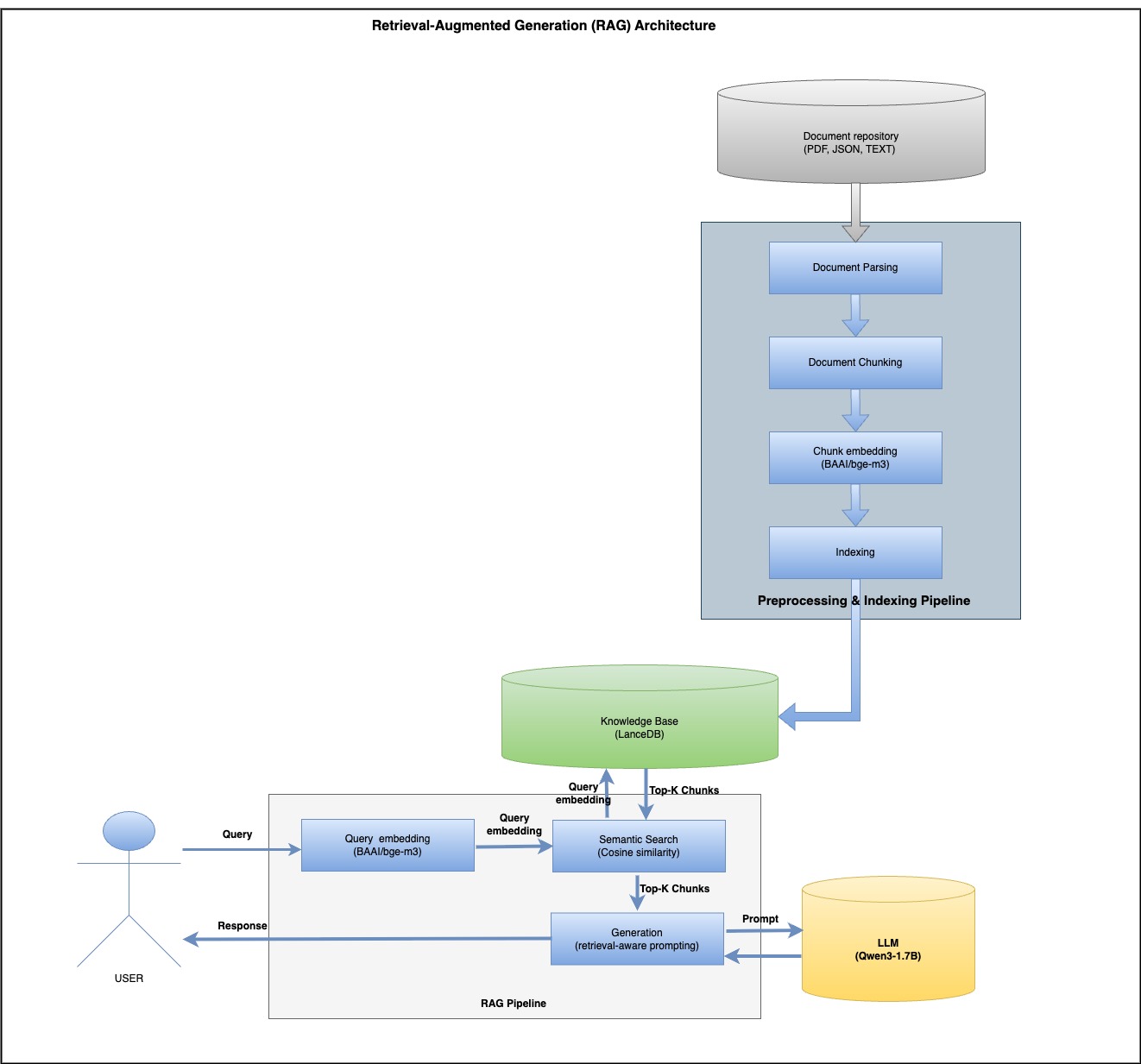
Retrieval-Augmented Generation (RAG) enhances LLMs by injecting context from a knowledge base during inference. Unlike traditional LLMs that may hallucinate or become outdated, RAG ensures:
Easy to update—just replace the documents, no retraining needed
Answers are grounded in your data (e.g., reports, PDFs)
Reduces hallucinations by injecting factual context
A Simple Architecture: How It Works
Step 1: Parsing & Chunking
We use docling and a hybrid tokenizer for clean document splitting:
# chunker.py
import os

from docling import chunking
from docling.document_converter import DocumentConverter
from docling_core.transforms.chunker.tokenizer.huggingface import HuggingFaceTokenizer
from transformers import AutoTokenizer


class Chunker:
    def __init__(self, embedding_model: str, max_tokens: int = 1024):
        tokenizer = HuggingFaceTokenizer(
            tokenizer=AutoTokenizer.from_pretrained(embedding_model),
            max_tokens=max_tokens,
        )
        self.__chunker = chunking.HybridChunker(tokenizer=tokenizer, merge_peers=True)

    def chunk(self, source: str):
        doc = DocumentConverter().convert(source=source).document
        chunk_iter = self.__chunker.chunk(dl_doc=doc)
        chunks = list(chunk_iter)
        chunks_dicts = []
        for chunk in chunks:
            chunks_dicts.append(
                {
                    "content": chunk.text,
                    "page_number": chunk.meta.doc_items[0].prov[0].page_no,
                    "pdf_name": os.path.basename(source),
                }
            )
        return chunks_dicts
#lancedb.py

import lancedb
from lancedb.table import Table
from pandas import DataFrame

class LanceDB:

    def __init__(self,
                 vector_storage_path: str = "./lancedb/vector_storage",
                 table_name: str = "knowledge_base"):
        db = lancedb.connect(uri=vector_storage_path)
        import pyarrow as pa
        schema = pa.schema([
            pa.field("content", pa.string()),
            pa.field("page_number", pa.int32()),
            pa.field("pdf_name", pa.string()),
            pa.field("embeddings", pa.list_(pa.float32(), 1024)),
        ])
        try:
            db.create_table(table_name, schema=schema)
            print(f"Table {table_name} created successfully.")
        except Exception as e:
            print(f"Table {table_name} already exists. {e}")
        self.__table: Table = db.open_table(name=table_name)

    def semantic_search(self, vector_query: list[float], n: int = 10, distance_threshold=0.50) -> DataFrame:
        search_results = self.__table.search(vector_query, vector_column_name="embeddings").distance_type(
            "cosine").limit(n).to_pandas()
        print(f"search_results\n\n {search_results}")
        return search_results.loc[search_results["_distance"] <= distance_threshold]

    def get_count(self) -> int:
        return self.__table.count_rows()

    def save(self, df: DataFrame):
        self.__table.add(df)
        print(f"total records in lancedb : {self.__table.count_rows()}")

    def create_index(self):
        try:
            self.__table.create_index(metric="cosine", vector_column_name="embeddings")
        except Exception as e:
            print(f"Seems index already exist {e}")
Step 4: Prompt Template
# prompt_template.py

class PromptTemplate:
    @staticmethod
    def build(context: str, question: str, max_token: int = 512) -> str:
        prompt = f"""You are a Climate Science Assistant using IPCC research to explain climate change clearly and compassionately.

**Your Approach:**
- Use solid IPCC scientific evidence
- Explain concepts accessibly for all audiences
- Be honest about uncertainties while providing clear guidance
- Support responses with specific data and findings
- Remain helpful, accurate, and encouraging
- **Keep responses under {max_token} tokens**

**Available Scientific Context (IPCC 2023 Synthesis Report):**
{context}

**Question:**
{question}

**Your Response (max {max_token} tokens):**

        """
        return prompt
# rag_main.py
import pandas as pd

from src.chunker.chunker import Chunker
from src.embedding.custom_embedding import CustomEmbeddings
from src.llm.qwen_llm import QwenLLM
from src.prompt.prompt_template import PromptTemplate
from src.storage.lancedb import LanceDB

pdf_data = "https://www.ipcc.ch/report/ar6/syr/downloads/report/IPCC_AR6_SYR_LongerReport.pdf"

EMBEDDING_MODEL = "BAAI/bge-m3"
LLM_MODEL = "Qwen/Qwen3-1.7B"


# initialize the embedding model
embeddings = CustomEmbeddings(model_name=EMBEDDING_MODEL)

# initialize the LLM
llm = QwenLLM(model_name=LLM_MODEL)

# initialize the Chunker
chunker = Chunker(embedding_model=EMBEDDING_MODEL)

# initialize the Vector DB
lancedb = LanceDB(table_name="rag_table")
# Run document Indexing
print("Start Chunking ....")
documents = chunker.chunk(pdf_data)
print("Chunking done....")
df = pd.DataFrame(documents, columns=["content", "page_number", "pdf_name"])
print("Start Embedding ....")
df["embeddings"] = df["content"].apply(embeddings.embed_query)
print("Embedding  done....")
print(df)
print("Start saving ....")
lancedb.save(df)

# RAG
query = "How is climate change affecting biodiversity?"

vector_query = embeddings.embed_query(query)
result_df = lancedb.semantic_search(vector_query=vector_query, n=2)
context = "\n\n".join(result_df["content"].tolist())
formatted_prompt = PromptTemplate.build(context=context, question=query)
print("\nFormatted Prompt:" + "\n" + formatted_prompt)
final_response = llm.invoke(formatted_prompt, enable_thinking=True, return_thinking=True)
print("\nFinal RAG Response:")
print(final_response["response"])
Final Output Example
**Question:**
How is climate change affecting biodiversity?

**Your Response (max 512 tokens):**
Final RAG Response:
Climate change is profoundly impacting biodiversity through habitat loss, shifting species ranges, and ecosystem disruptions. For example, over 50% of coastal wetlands have been lost globally due to sea level rise, warming, and extreme events, threatening species like mangroves and sea turtles. Species are shifting poleward or uphill (very high confidence), but many cannot adapt fast enough to rising temperatures or extreme weather, leading to local extinctions (very high confidence). Heat extremes and mass mortality events (e.g., coral bleaching) have caused hundreds of species losses. Irreversible changes, such as glacier retreat altering freshwater systems, are accelerating. Ocean acidification and sea level rise also disrupt marine ecosystems. While some shifts occur, many ecosystems are approaching irreversible damage, underscoring the urgency of conservation and adaptive strategies to mitigate these impacts.
Why This Matters
Trustworthy: Cites real IPCC data, not LLM guesswork
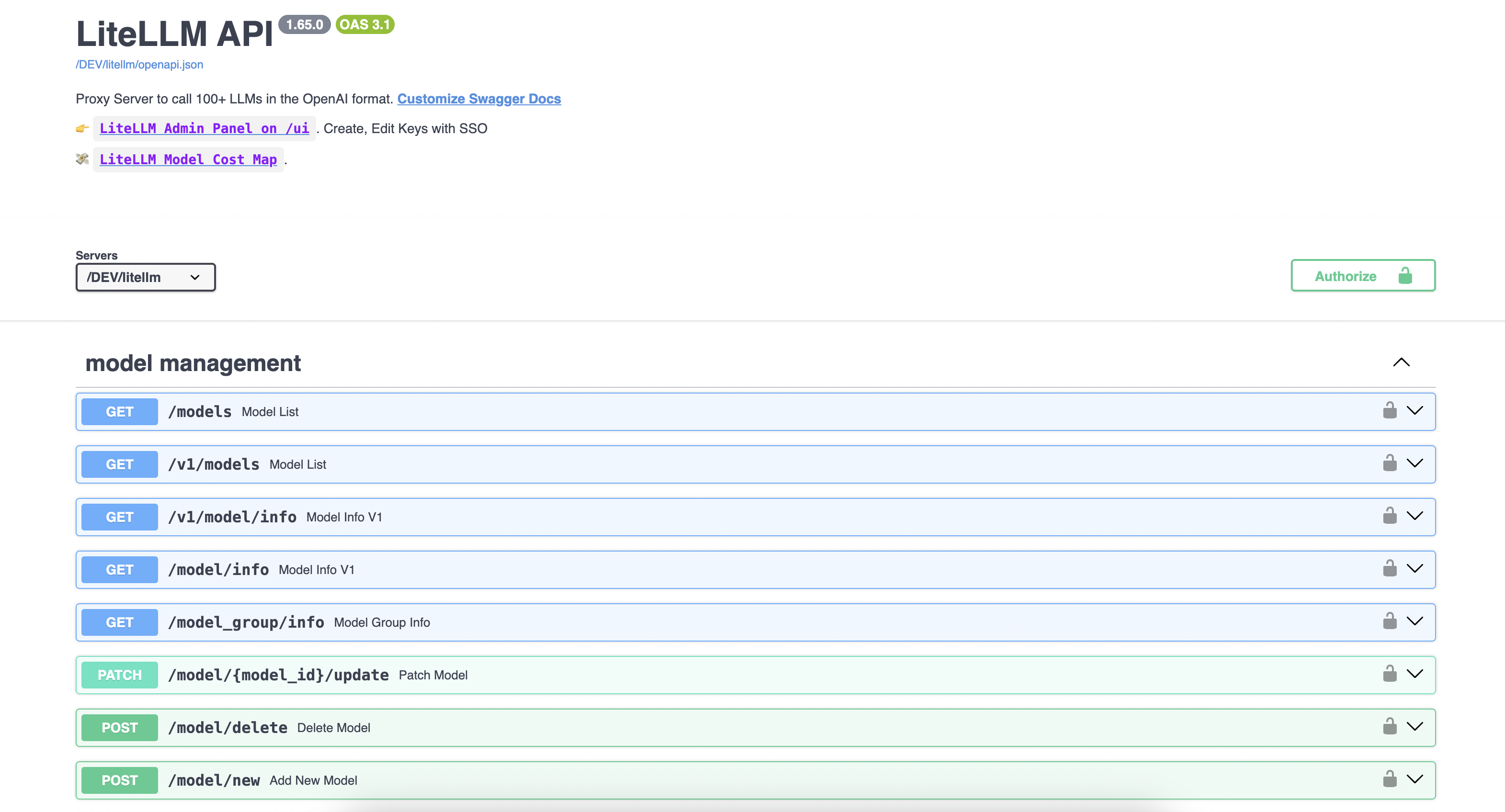
Managing multiple self-hosted LLMs can be challenging for developers. LiteLLM simplifies this by providing a single unified API endpoint for all your models, whether self-hosted or from providers like OpenAI, Gemini, and Anthropic.
We leverage open-source LLMs such as Llama 3.1 8B and Mistral 7B, along with BAAI/bge-m3 for embeddings primarily hosted on vLLM for efficient inference.
Let’s start with vLLM, vLLM is a high-throughput and memory-efficient inference and serving engine for LLMs, featuring PagedAttention for optimized attention key-value memory management.
Our LLMs run on GPU nodes for accelerated inference, while embeddings are deployed on CPU nodes.
vLLM does not provide the CPU-based docker image so I built the image from the source:
docker run -v ~/.cache/huggingface:/root/.cache/huggingface -p 8000:8000 satendra/vllm-cpu:v0.8.3 --model BAAI/bge-m3
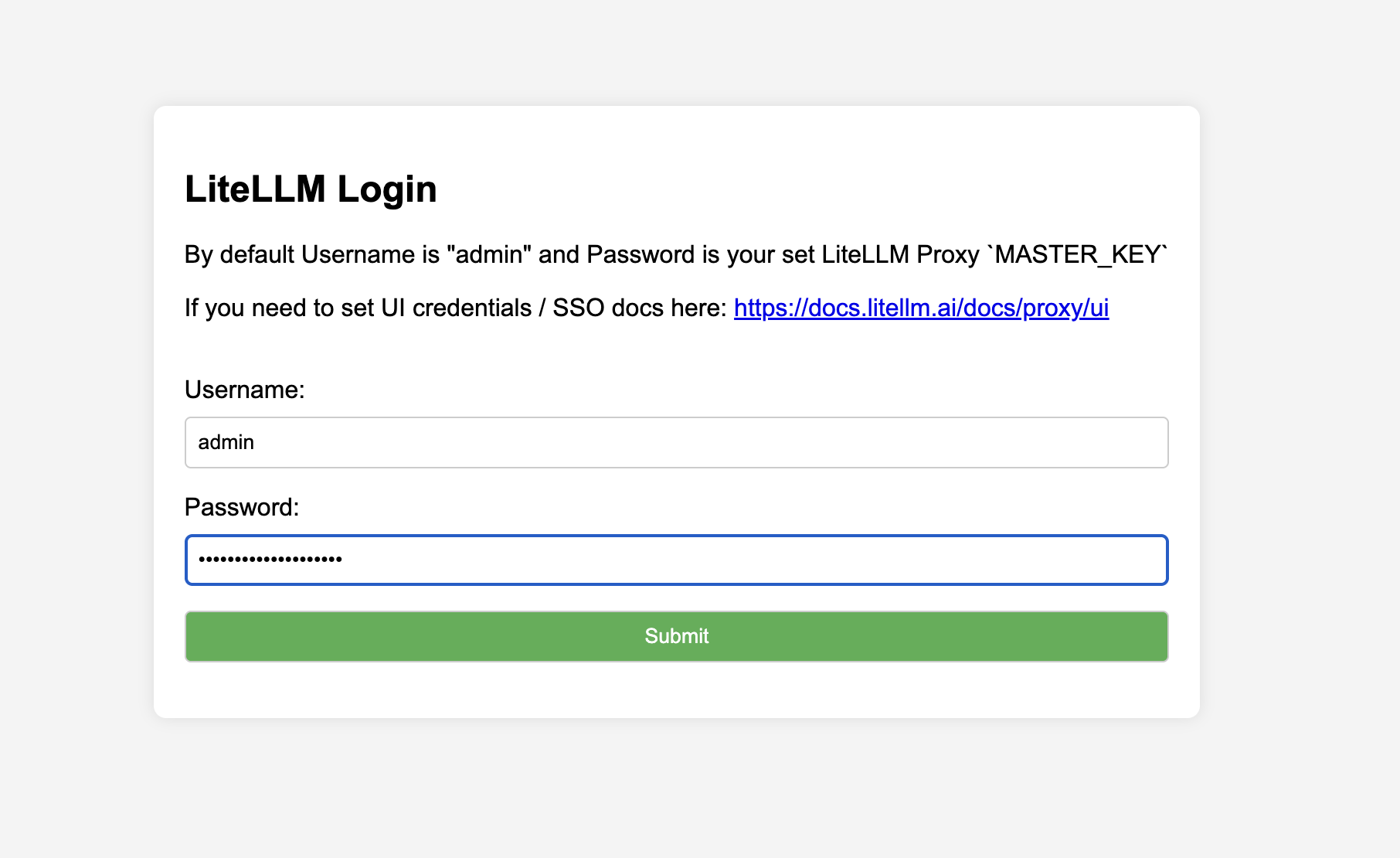
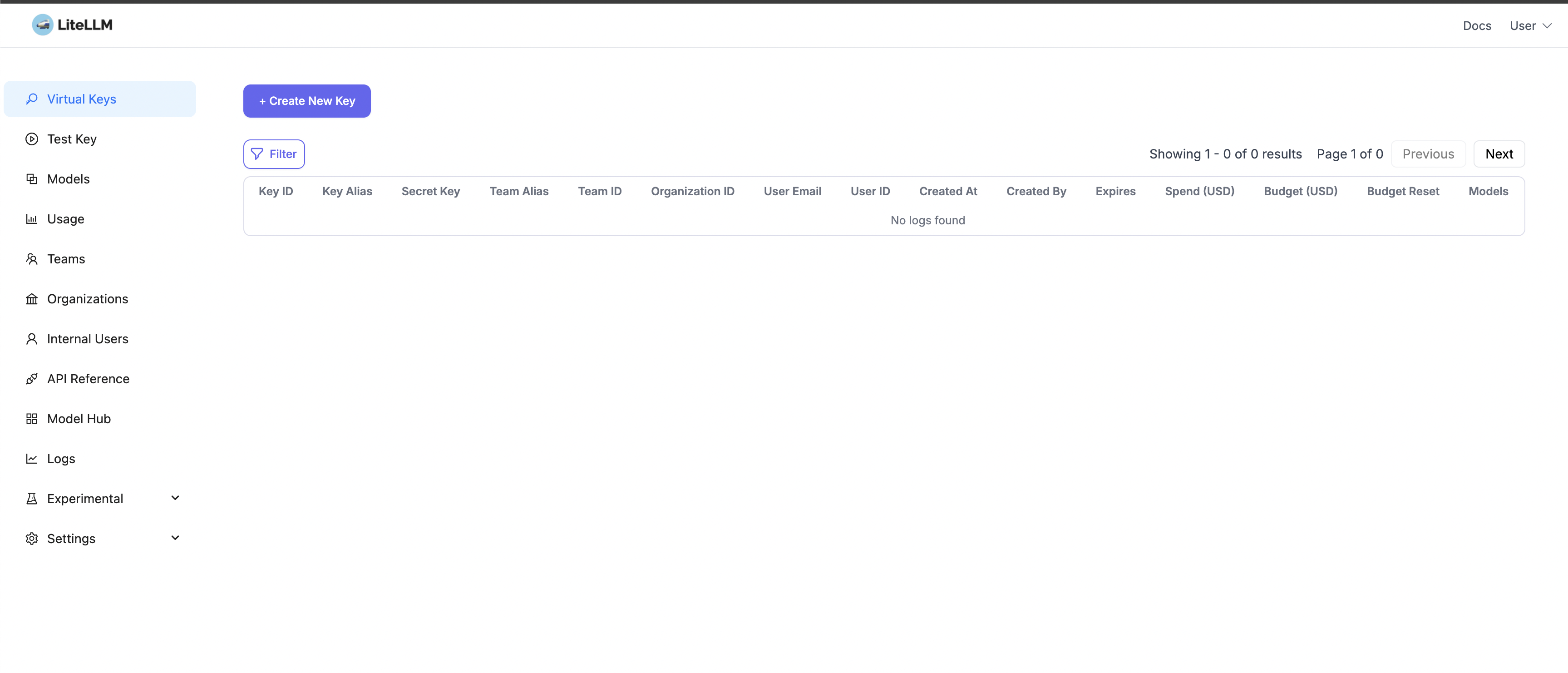
LiteLLM is a unified platform simplifying access to over 100 large language models (LLMs), providing an OpenAI-compatible API along with features such as usage tracking, fallback handling, and seamless integration for scalable inference.
To start the LiteLLM server, I am using the docker compose file:
version: "3.11"
services:
  litellm:
    build:
      context: .
      args:
        target: runtime
    image: ghcr.io/berriai/litellm:main-stable
    #########################################
    ## Uncomment these lines to start proxy with a config.yaml file ##
    volumes:
      - ./config.yaml:/app/config.yaml
    command:
      - "--config=/app/config.yaml"
     # - "--detailed_debug"
    ##############################################
    ports:
      - "4000:4000" # Map the container port to the host, change the host port if necessary
    environment:
        DATABASE_URL: "postgresql://llmproxy:dbpassword9090@db:5432/litellm"
        STORE_MODEL_IN_DB: "True" # allows adding models to proxy via UI
    env_file:
      - .env # Load local .env file
    depends_on:
      - db  # Indicates that this service depends on the 'db' service, ensuring 'db' starts first
    healthcheck:  # Defines the health check configuration for the container
      test: [ "CMD", "curl", "-f", "http://localhost:4000/health/liveliness || exit 1" ]  # Command to execute for health check
      interval: 30s  # Perform health check every 30 seconds
      timeout: 10s   # Health check command times out after 10 seconds
      retries: 3     # Retry up to 3 times if health check fails
      start_period: 40s  # Wait 40 seconds after container start before beginning health checks


  db:
    image: postgres:16
    restart: always
    environment:
      POSTGRES_DB: litellm
      POSTGRES_USER: llmproxy
      POSTGRES_PASSWORD: dbpassword9090
    ports:
      - "5432:5432"
    volumes:
      - postgres_data:/var/lib/postgresql/data  # Persists Postgres data across container restarts
    healthcheck:
      test: ["CMD-SHELL", "pg_isready -d litellm -U llmproxy"]
      interval: 1s
      timeout: 5s
      retries: 10

  prometheus:
    image: prom/prometheus
    volumes:
      - prometheus_data:/prometheus
      - ./prometheus.yml:/etc/prometheus/prometheus.yml
    ports:
      - "9090:9090"
    command:
      - '--config.file=/etc/prometheus/prometheus.yml'
      - '--storage.tsdb.path=/prometheus'
      - '--storage.tsdb.retention.time=15d'
    restart: always

volumes:
  prometheus_data:
    driver: local
  postgres_data:
    name: litellm_postgres_data  # Named volume for Postgres data persistence
Test the Mistral model with the OpenAI-compatible SDK:
from openai import OpenAI

client = OpenAI(
    base_url = "http://xx.0.139.5:4000",
    api_key='fkFihkMb8CDA02vkt7Yr',
)

response = client.chat.completions.create(
    model="Mistral-7B",
    messages = [
        {
            "role": "user",
            "content": "What are best books for Deep leaning?"
        }
    ],
    stream=False
)
print(f'LiteLLM:  response {response}')
Response from LLM:
ChatCompletion(id='chatcmpl-e708556a24e84af4af6276439209ae53', choices=[Choice(finish_reason='stop', index=0, logprobs=None, message=ChatCompletionMessage(content=" There are numerous valuable resources for deep learning, catering to different levels of expertise. Here's a brief list of some highly recommended books on the subject:\n\n1. **Deep Learning** by Yoshua Bengio, Ian Goodfellow, and Aaron Courville: This book is a comprehensive resource for deep learning and covers both theory and practice. It's widely considered one of the best books for beginners looking to learn deep learning concepts.\n\n2. **Hands-On Machine Learning with Scikit-Learn, Keras, and TensorFlow** by Aurelien Geron: This practical guide uses Python to delve into various machine learning techniques, with a significant focus on deep learning with Keras and TensorFlow.\n\n3. **Neural Networks and Deep Learning** by Michael Nielsen: This free online textbook offers an excellent introduction to the principles and techniques behind neural networks and deep learning. It is often recommended for self-study.\n\n4. **Deep Learning: A Practical Introduction** by Stephen Merity: Built around exercises, this book offers a broad and practical understanding of deep learning and associated techniques. It's a good choice for learners who prefer a hands-on approach.\n\n5. **Probabilistic Reasoning in Intelligent Systems: Networks of Plausible Inference** by Judea Pearl: Although not specifically focused on deep learning, this book provides foundational knowledge about probability theory, a crucial aspect of deep learning, and also learning doing-style content through its numerous exercises.\n\n6. **Reinforcement Learning: An Introduction** by Richard S. Sutton and Andrew G. Barto: This book provides an in-depth exploration of reinforcement learning algorithms, including those used extensively in deep learning for sequential decision making tasks.", refusal=None, role='assistant', annotations=None, audio=None, function_call=None, tool_calls=None))], created=1743945161, model='hosted_vllm/mistralai/Mistral-7B-Instruct-v0.3', object='chat.completion', service_tier=None, system_fingerprint=None, usage=CompletionUsage(completion_tokens=387, prompt_tokens=11, total_tokens=398, completion_tokens_details=None, prompt_tokens_details=None), prompt_logprobs=None)
Let’s try using a cURL request:
 curl --location 'http://xx.0.139.5:4000/chat/completions' \
     -H 'Ocp-Apim-Subscription-Key: fkFihkMb8CDA02vkt7Yr' \
  --header 'Content-Type: application/json' \
  --data ' {
  "model": "Mistral-7B",
  "messages": [
      {
      "role": "user",
      "content": "What are best books for Deep leaning?"
      }
  ]
}'
Response:
{"id":"chatcmpl-f6cc7c37dfa947e5ac2d111bb1c94783","created":1743945232,"model":"hosted_vllm/mistralai/Mistral-7B-Instruct-v0.3","object":"chat.completion","system_fingerprint":null,"choices":[{"finish_reason":"stop","index":0,"message":{"content":" Deep learning is a rapidly evolving field, and there are several excellent books that provide a solid foundation for both beginners and experts. Here are some recommendations, categorized by difficulty level:\n\n**Beginners:**\n1. \"Deep Learning with Python\" by François Chollet: This book is a comprehensive guide to deep learning with the Keras library, valuable for programmers who want to build and deploy their own models.\n2. \"Hands-On Machine Learning with Scikit-Learn, Keras, and TensorFlow\" by Aurélio Oleacretta, Georgios Yannakoudakis, and V. M. Gerosolomou: In this book, you will learn machine learning concepts along with how to implement them using popular libraries like Scikit-Learn and TensorFlow.\n3. \"Deep Learning for Beginners: A Plain English Introduction\" by M. Isaac: This book provides an accessible deep learning intro, focusing on the fundamental principles without getting lost in mathematical details.\n\n**Intermediate:**\n1. \"Neural Networks and Deep Learning\" by Michael Nielsen: This online textbook provides an in-depth exploration of neural networks and deep learning, offering clear explanations and working code examples in Python.\n2. \"Reinforcement Learning: An Introduction\" by Richard S. Sutton and Andrew G. Barto: Although not focused exclusively on deep learning, this book offers essential reinforcement learning concepts, vital for understanding many deep learning techniques.\n\n**Advanced:**\n1. \"Deep Learning\" by Yoshua Bengio, Ian Goodfellow, and Aaron Courville: This landmark book provides a detailed treatment of deep learning theory, algorithms, and applications.\n2. \"Building Machine Learning Systems\" by Carlos Guestrin: In this book, you'll learn about the key mechanisms involved in building large-scale machine learning systems, paying particular attention to challenges in handling big data.\n3. \"Adversarial Robustness: Deep Learning Under Attack\" by Marco Rocha, Raymond T.L. Chan, Cesar A. de la Salud, and Rafael H. Perera: This book focuses on adversarial attacks and defenses in deep learning, which are critical aspects of ensuring the security and robustness of deep learning systems.\n4. \"The Deep Learning Landscape\" by Iasef Badr, Tapas Kanjilal, and Enda Admiraal: This thorough overview of deep learning offers insight into various modules, techniques, and applications in the field.","role":"assistant","tool_calls":null,"function_call":null}}],"usage":{"completion_tokens":549,"prompt_tokens":11,"total_tokens":560,"completion_tokens_details":null,"prompt_tokens_details":null},"service_tier":null,"prompt_logprobs":null}
Access embeddings through the OpenAI-compatible API:
import openai
client = openai.OpenAI(api_key="fkFihkMb8CDA02vkt7Yr", base_url="http://xx.0.139.5:4000")
text = "This is an example text for embedding."
# Call the OpenAI API for embedding
response = client.embeddings.create(
    model="BAAI/bge-m3",  # Specify the embedding model
    input=text
)
embedding = response.data[0].embedding
print(embedding)
curl -X 'POST' -k 'http://xx.0.139.5:4000/embeddings' -H 'Ocp-Apim-Subscription-Key: fkFihkMb8CDA02vkt7Yr' -H 'accept: application/json' -H 'Content-Type: application/json' -d '{ "model": "BAAI/bge-m3", "input":"This is an example text for embedding."}'
Conclusion: As the landscape of LLMs continues to grow, tools like LiteLLM are essential for streamlining inference and orchestration. Its OpenAI-compatible API, built-in fallback support, and vendor flexibility position it as a robust proxy layer for modern AI applications.
Triton Server supports TensorRT Models, ONNX Models, TorchScript Models, TensorFlow Models, OpenVINO Models, Python Models, and DALI Models. I will use Python Models for Hugging Face deployment. Triton server has a standard directory structure for each model type. Here is Python model directory structure:
$ tree model_repository/ -I '__pycache__'
model_repository/    #  ROOT FOLDER(may have many models)
└── sentiment          # MODEL FOLDER NAME(same as model name)
    ├── 1                        # MODEL VERSION
    │   └── model.py   # MODEL PYTHON SCRIPT
    ├── config.pbtxt   # CONFIG FILE FOR A MODEL
    └── hf-sentiment.tar.gz # CONDA ENV(all dependencies required for hugging face)

2 directories, 3 files
Create an empty directory structure as described above and let’s understand each file one by one.
config.pbtxt It is the config for a model that describes the model name, backend, Input/Output fields and types, and model execution information like GPU or CPU, Batch size, and many more. I will take minimal configuration.
$ docker ps -a
CONTAINER ID   IMAGE                                   COMMAND                  CREATED        STATUS        PORTS                                                           NAMES
372793f53dda   nvcr.io/nvidia/tritonserver:23.06-py3   "/opt/nvidia/nvidia_…"   18 hours ago   Up 15 hours   0.0.0.0:8000-8002->8000-8002/tcp, :::8000-8002->8000-8002/tcp   nervous_shannon


 Tech Blogs