
We are using Apache Spark for the data processing. Surprisingly, There is no official Spark connector for the Druid database. Druid’s primary ingestion methods are all pull-based. That means Druid reads the data from sources like S3 and Postgres and stores it in data sources, which are similar to tables in a traditional RDBMS.
For Loading data into Druid, we are writing all the data on S3 buckets in JSON format and sending API calls to the Druid indexer to load data from S3.
Druid supports JSON, CSV, Parquet, ORC, and other formats.
Druid requires these details to load the data:
- Datasource name
- Date/Time field
- Data location
- Data format
- Granularity
- Dimensions(Fields name)
Here is an example of a request Spec:
request.json
{
  "type": "index_parallel",
  "spec": {
    "dataSchema": {
      "dataSource": "analysis_datasource",
      "timestampSpec": {
        "column": "dateTime",
        "format": "auto"
      },
      "dimensionsSpec": {
        "includeAllDimensions": true
      },
      "granularitySpec": {
        "segmentGranularity": "month",
        "queryGranularity": "none",
        "rollup": false
      }
    },
    "ioConfig": {
      "type": "index_parallel",
      "inputSource": {
        "type": "s3",
        "prefixes": ["s3://druid-data-bucket/analysis/scores"]
      },
      "inputFormat": {
        "type": "json"
      },
      "appendToExisting": true,
      "dropExisting": false
    },
    "tuningConfig": {
      "type": "index_parallel"
    }
  }
}
These are minimal parameters. You can change it according to your requirements. Here are more details
Make an API call to the druid indexer using CURL:
curl -X 'POST' -H 'Content-Type:application/json' -d @request.json http://localhost:8081/druid/indexer/v1/task
Response:
{"task":"index_parallel_analysis_datasource_oebimnie_2023-07-08T14:15:35.643Z"}
Ingestion is started. You can check the ingestion tab in the Druid UI:
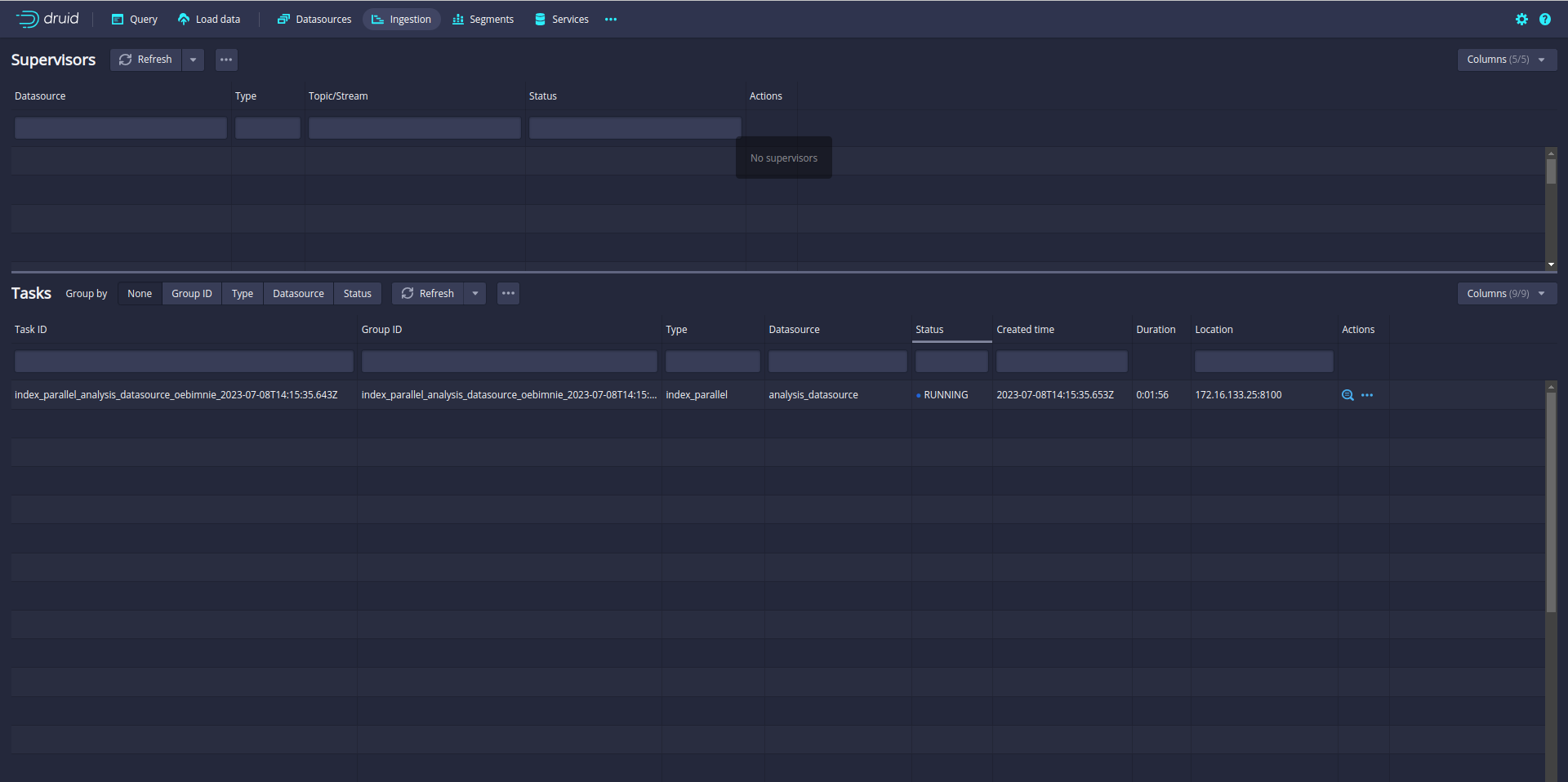
So far so good. But you notice that only one task is running. A single task may take longer time if the data is big. Even your Druid cluster has more slots to run parallel task.
In my case, the Druid cluster has 12 slots. That means Druid can run 12 parallel tasks.
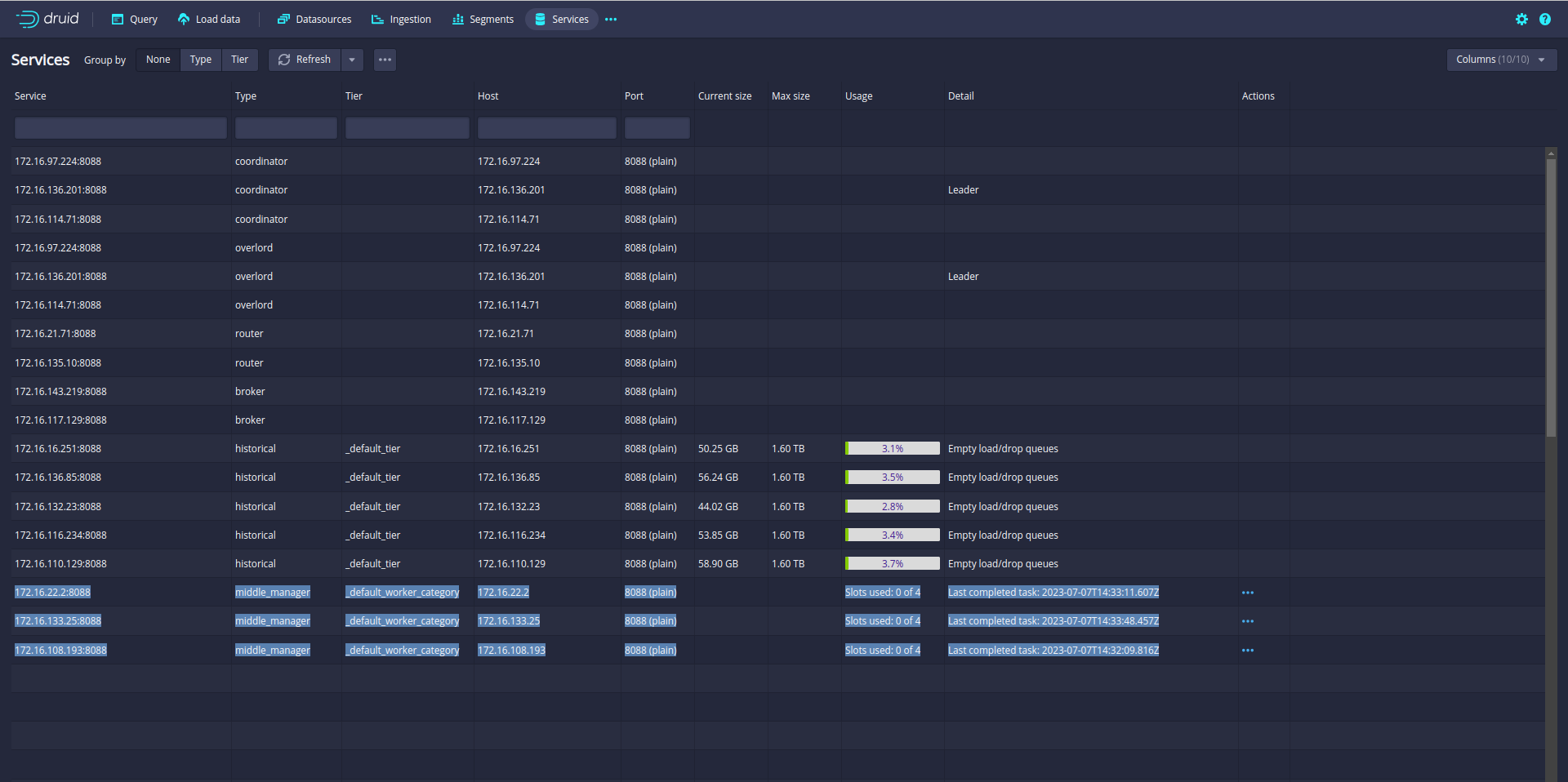
So let’s increase the parallelism from 1 to 12. (default parallelism is 1)
Update the tuningConfig:
"tuningConfig": {
  "type": "index_parallel",
  "maxNumConcurrentSubTasks": 12
}
Before starting the ingestion, Make sure your data is partitioned or sorted on the S3 bucket like month, week, and day. In my case data is partitioned by month.
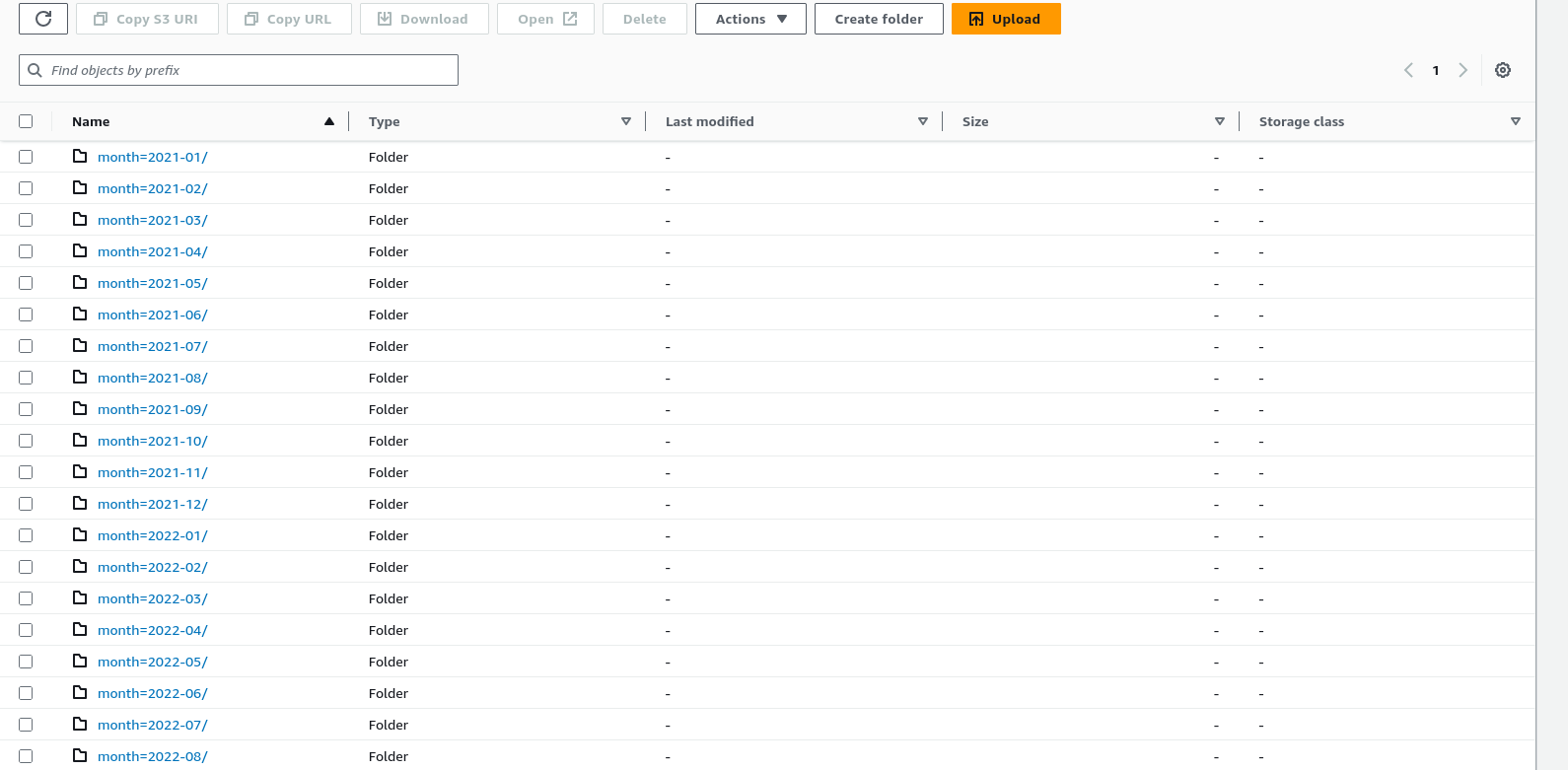
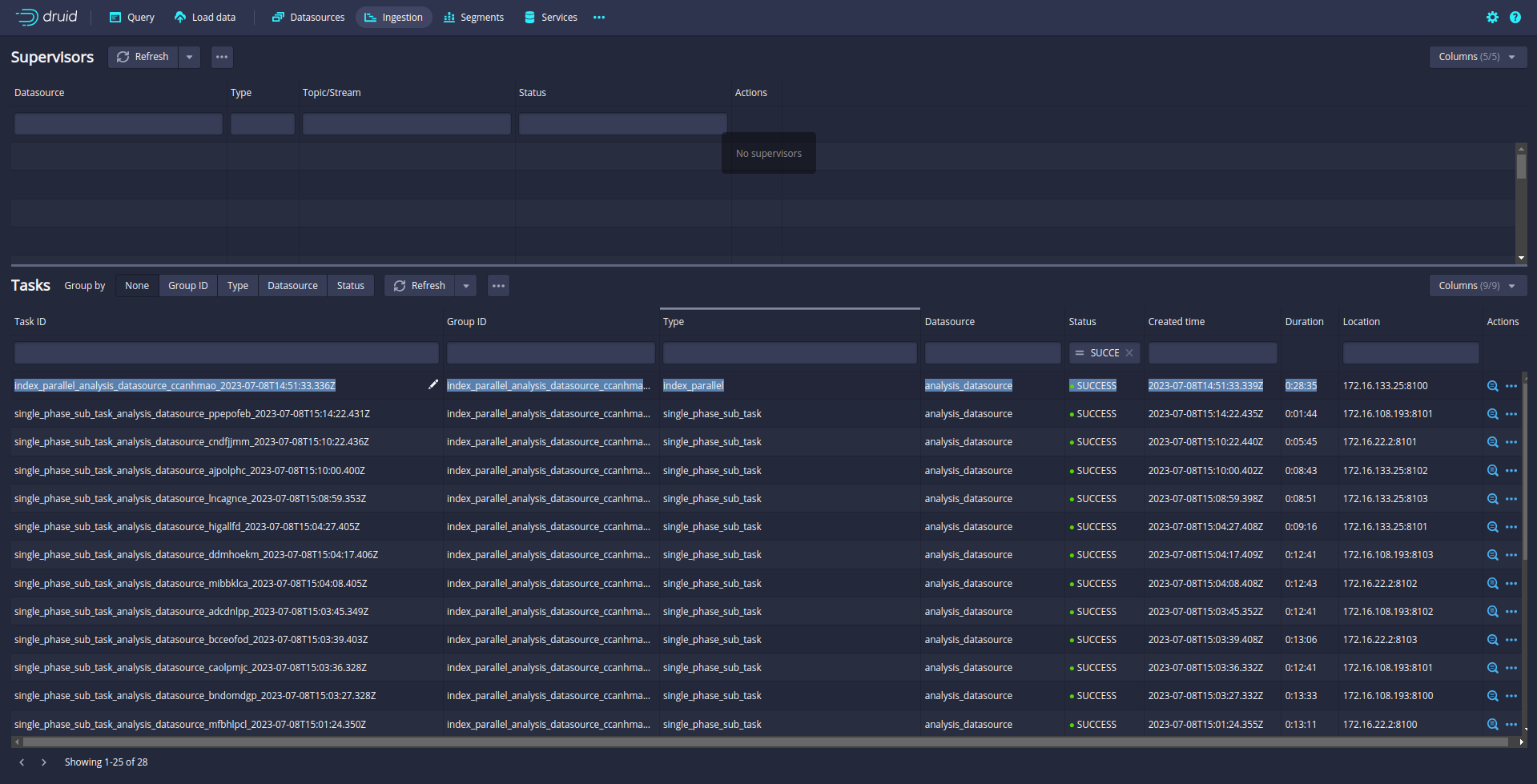
Let’s run again and check the ingestion Tab:
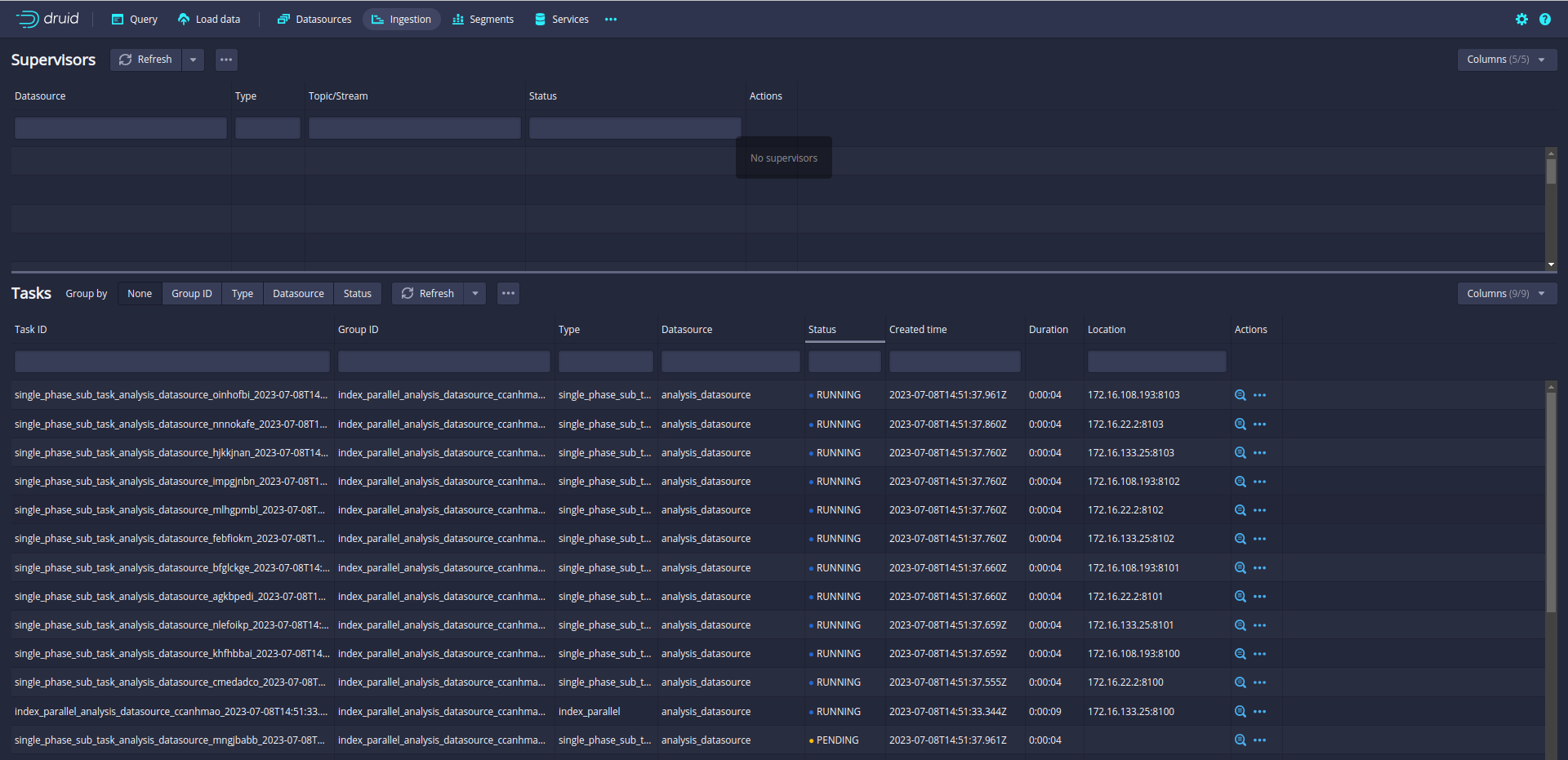
Now, 12 subtasks are running in parallel. Druid will split data loading into multiple subtasks and run the 12 subtasks in parallel.

12 slots are fully utilized!!!
21M Data is loaded into druid in 28 Minutes.
The data is loaded !!!!
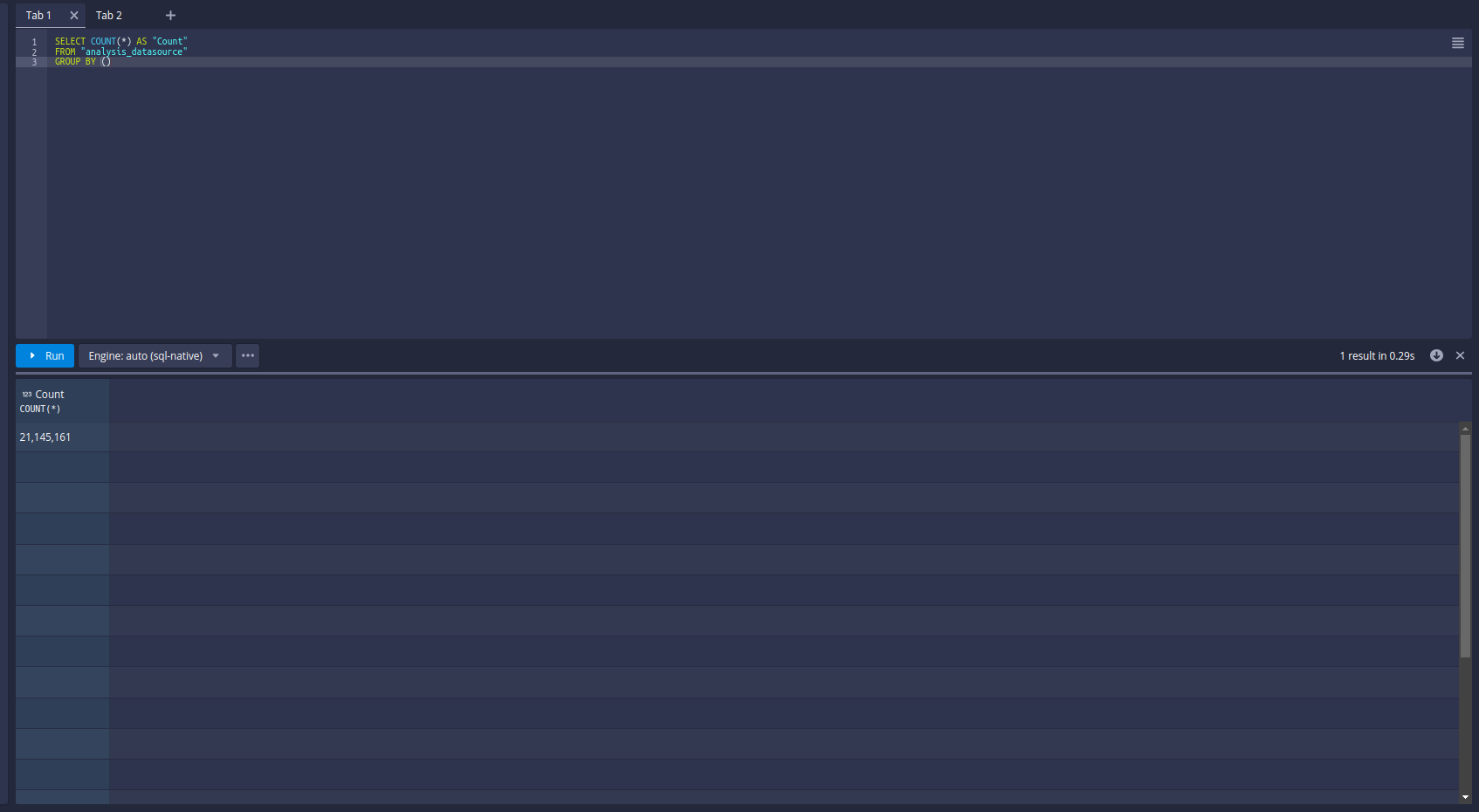
Let’s try the query:
References:

 Tech Blogs